🔐 Full Privacy: Your notes are saved by the browser so no account is needed!
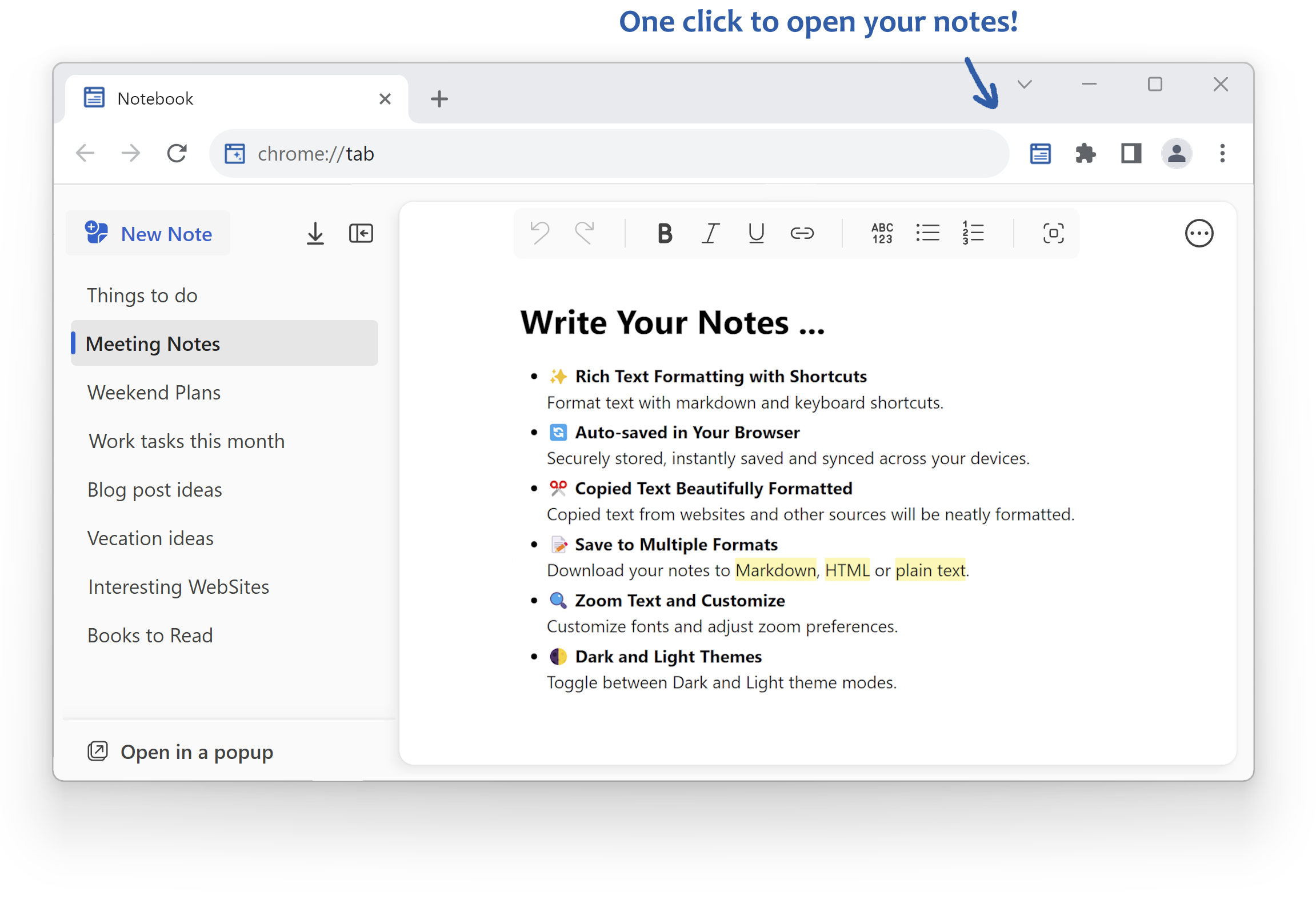
A clean, distraction-free notebook with rich text formatting, shortcuts, auto-save, customizations, and themes to keep your ideas organized.
Write with confidence using markdown syntax and keyboard shortcuts for instant, beautiful formatting.
Every word is saved the moment you type it. No buttons, no lost work, no surprises. You can export notes at any time.
Paste from any website or app and get clean, readable text, stripped of clutter automatically.
Print as PDF or download your notes as Markdown, HTML, or plain text whenever you need them elsewhere.
Pick your font, adjust the zoom, and make the editor feel exactly right for how you work.
Switch between dark and light mode in one click. Easy on the eyes, day or night.
Use markdown-like syntax to seamlessly apply formatting as you type, for example:
** or __ on either side of your text to add
**bold** mark.* or _ on either side of your text to add
*italic* mark.` on either side of your text to add `inline code mark`.
~~ on either side of your text to add ~~[], [ ] or [x] and then hit space to create a task list.*, - or + and then hit space to create a bulleted list.1. or 1) and then hit space to create a numbered list.> and then hit space to create a
block quote.# and then hit space to create an H1
heading.## and then hit space to create an
H2 sub-heading.### and then hit space to create an
H3 sub-heading, etc...--- or :line: to create a horizontal rule.``` or :code: to create a code block.:date: or :today: to insert today's date
9/20/2024.:time: to insert current time 3:32:46 PM.:datetime: to insert current date and time
9/20/2024, 3:32:46 PM.:day: to insert day of the week Friday.:year: to insert the year 2024.:trademark:, :registered:,
:copyright: for ™, ®, ©.:check: ✅, :uncheck:
⬜, :done: ✔️, :cross:
❌, :warning: ⚠️, :star:
⭐, :calendar: 📅, :idea:
💡, :target: 🎯, :pin:
📌.🔐 Full Privacy: Your notes are saved by the browser! No account needed!.
You can export your notes at any time!
Notebook is a clean, distraction-free rich text notepad for Chrome that offers advanced formatting options and keyboard shortcuts. Your words are saved automatically by your browser, so no account is necessary!
You can format text using markdown and various keyboard shortcuts. Features include bold, italic, underline, strikethrough, and more, along with options for headings and lists.
Absolutely! Your notes are securely stored in your browser and auto-saved, ensuring your data remains private and secure without needing an account.
Yes, you can download your notes in Markdown, HTML, or plain text formats, ensuring compatibility with various document processing applications.
Yes! Notebook features both Dark and Light theme modes. You can easily switch between them, customize fonts, and adjust zoom settings to enhance readability.
When you paste text from websites or other sources, Notebook automatically formats it neatly, removing unnecessary styling for clean, readable text.
Yes, Notebook supports several keyboard shortcuts for convenience, such as Ctrl+B for bold, Ctrl+I for italic, Ctrl+U for underline, and more. For a complete list, check the help section of the extension.
Yes, you can create bulleted and numbered lists as well as various levels of headings using simple markdown syntax or keyboard shortcuts.
No internet connection is needed for basic note-taking and formatting.